


Sannce Sight
3.551.00 Reviews
App Specs
- Version
- 4.6.9.7
- Updated On
- License
- Free
- Downloads
- 100,000+
- Developer
- Anke Innovation (Shenzhen) Co., Ltd.
- Categories
- Libraries & Demo
- Platform
- Android, iOS
Screenshots
 Analysis by AppCompare
I see Sannce Sight as a practical companion for checking a compatible home surveillance setup, rather than a security system that works on its own. That distinction matters: the app is most useful when you already have the right equipment and want a straightforward way to view it from your phone. I like that focused role, but I’d be cautious about expecting it to replace a complete security service or solve every monitoring need by itself.
It sits in the libraries and demo category, is free to install, and is developed by Anke Innovation (Shenzhen) Co., Ltd. Its audience rating is Everyone, and it has an average rating of 3.5 from around 700 ratings. Those figures suggest a widely tried app with a mixed reception, so I’d approach it as a tool to test against your own setup rather than assume every experience will be equally smooth.
A companion app, not a complete security package
The key question before downloading is whether Sannce Sight fits the equipment you intend to monitor. A camera-viewing app is only as useful as the connection to its compatible system. If you’re still choosing hardware, check that the recorder or camera you plan to use works with this app before building your routine around it. That small bit of preparation can save a frustrating setup attempt.
This is also where it differs from a general-purpose smart-home dashboard. Those apps often bring lights, sensors, doorbells, and cameras together in one place. Sannce Sight is better understood as a focused viewing and monitoring option for its own surveillance ecosystem. If your priority is bringing devices from several brands into one interface, a broader home-control app may be more convenient. If your priority is opening a dedicated screen to check a Sannce camera system, a specialist tool can feel simpler.
Making live checks and playback more useful
Live viewing is valuable for quick questions: did a delivery arrive, is the side entrance clear, or did someone come by while I was out? I’d treat it as a check-in tool, not as a reason to watch a feed constantly. A phone screen can give you a useful view of a place, but it cannot replace a careful decision about camera placement, lighting, or who should have access to the system.
Playback has a different job. When an alert raises a question, reviewing the relevant period can help you understand what happened instead of guessing from a notification. A useful habit is to note roughly when an event occurred before opening playback, then review a short window around that time. That keeps routine checks focused and helps avoid scrolling through footage without a clear purpose.
Motion notifications can also take some tuning. I’d begin with the alerts that matter most, then adjust if ordinary movement produces too many interruptions. For example, a camera facing a busy walkway may generate more activity than one watching a quiet entrance. The practical trade-off is simple: broad alerting may catch more events but demand more attention, while narrower alerting can make notifications easier to live with but may be less comprehensive.
Worth Reading Before You Choose

EA SPORTS FC Mobile 26 Is a Bigger Football Game, but It Takes Time

Flipboard Shows What News Apps Must Do Beyond the Feed

Switching to Android Auto Means Rethinking Your Driving Routine

Google Calendar Makes a Crowded Week Easier to Manage

Ludo King Makes the Most of the Minutes Between Plans

Baby Panda World Brings Quick Play to Modern Phones, but Its Game Library Feels Busy
Who should consider it—and who may prefer another route
I can see Sannce Sight suiting someone who already uses compatible surveillance equipment and wants remote viewing and recorded footage in a familiar phone workflow. It may also fit a household where one person handles setup and other users mainly need a simple way to check in. Before relying on that arrangement, I’d make sure the people who need access can actually connect and understand where to find live view and playback.
I’d look elsewhere if you need a single app to manage a mixed-brand smart home, or if you want a professionally monitored service rather than a camera companion. I’d also think twice if you rarely want to check footage on a phone or would rather avoid notifications altogether. In those cases, a different camera platform or a more complete home-security solution may better match the job.
Getting Started with Sannce Sight
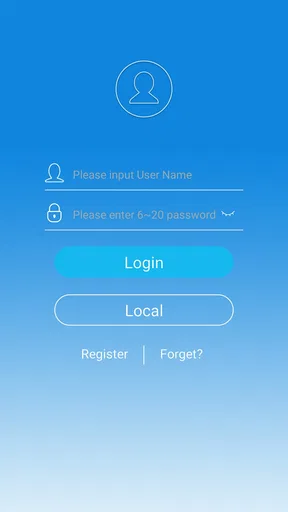
First things first, let’s talk about getting this thing set up. If you’re anything like me, you might find the prospect of setting up a security system a bit daunting. But the Sannce Sight app has your back. The installation process is as smooth as butter. Download it from the App Store or Google Play, and you’re halfway there. The app guides you through everything with step-by-step instructions. No technical wizardry required.
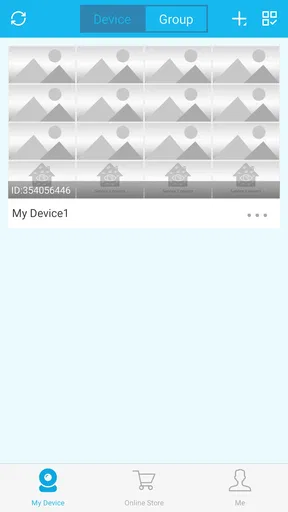
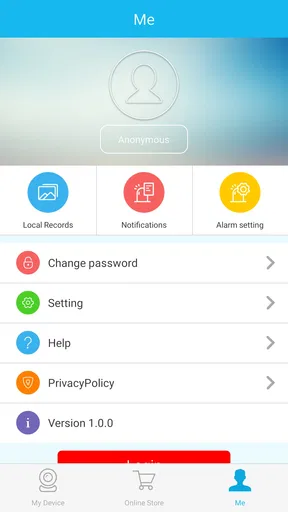
Once you’re in, the app interface is pretty intuitive. It’s designed to be user-friendly, which means you won’t find yourself tearing your hair out trying to find the settings. Everything’s neatly organized, and the icons are self-explanatory. It’s a breath of fresh air, especially if you’ve dealt with clunky interfaces before.
Features That Stand Out
Alright, let’s get into the juicy stuff—features. The Sannce Sight app offers live streaming, which is a game changer. You can watch what’s happening in real-time, no matter where you are. Just pull out your phone, and voila! It’s like having a window into your home.
Another feature I love is the motion detection alerts. The app sends you notifications whenever it senses movement. It’s like having a vigilant watchdog that doesn’t bark (or need feeding). You can customize these alerts to suit your needs, which is awesome. No more jumping out of your skin every time a leaf blows across the yard.
And let’s not forget the playback feature. Missed something important? Just go back and watch the footage. It’s all stored neatly for you to review at your leisure. Plus, the video quality is pretty top-notch, so you won’t be squinting at grainy images trying to make out what’s happening.
Why You Might Love It
So, why should you consider the Sannce Sight app? For starters, it offers peace of mind. Whether you’re out for groceries or on a beach halfway across the world, you can check in on your home anytime. The convenience of having that kind of access is hard to beat.
Another reason? It’s cost-effective. You’re getting a lot of functionality without breaking the bank. No need to invest in an expensive security system when you have this app at your fingertips.
"The best part? You’re in control. You decide what alerts to receive, when to receive them, and how to manage your recordings."
Wrapping It Up
All in all, the Sannce Sight app is a solid choice for anyone looking to up their home security game without the fuss. It’s user-friendly, packed with useful features, and it doesn’t cost an arm and a leg. If you’re on the fence about home security apps, give this one a shot. You might just find it’s the peace of mind you’ve been searching for.
And there you have it! Hopefully, this gives you a clearer picture of what the Sannce Sight app has to offer. Happy securing!
Small habits that make a real difference
A useful way to judge this kind of app is to try it during an ordinary day, not only when something worrying happens. For instance, if a delivery is expected while you’re away, check the live view once, then use playback later if you need to confirm when it arrived. That simple routine makes the camera feed serve a clear purpose instead of turning your phone into a constant surveillance screen.
I’d also give each camera a practical name that reflects its location, if the system offers that option, and keep a mental note of which view covers each entrance. When you have more than one view, this little bit of organization can make a quick check less fiddly. It is especially useful when someone else in the household needs to look at the right area without asking you to identify every camera.
Before depending on alerts during a trip, test the arrangement while you’re at home. Confirm that notifications arrive when expected and that opening the app takes you to a view that answers the question you actually have. This is not a guarantee that every future alert will be useful; it is simply a sensible way to find awkward steps before you are away and need the system.
What to expect from daily use
Remote viewing depends on the camera system and the network connection at both ends, so I wouldn’t treat a phone feed as a substitute for being physically present. If a video takes time to load or a connection is unavailable, the best response is to check again or use another reliable way to confirm what is happening. For urgent situations, an app notification alone should not be the only plan.
It’s also worth deciding who in the household should have access before sharing the setup. A camera feed can show private parts of daily life, so I’d keep access limited to people who genuinely need it and agree on how recordings and alerts will be used. That is a general responsibility of home monitoring, but it becomes particularly important when several people can check the same cameras from their phones.
Another practical consideration is where the camera points. A view aimed at a doorway or a particular approach is usually easier to interpret than a wide frame full of routine activity. I’d prioritize the area that answers a specific question, then adjust the view if alerts or playback prove hard to make sense of. Better framing can reduce needless checking even when the app itself remains unchanged.
Choosing it with realistic expectations
The app is free, and its current version is 4.6.9.7; it was released on August 7, 2017, and requires Android 6.0 or later. That makes it worth checking against the phone you plan to use, especially if it is an older device. The free price is appealing, but it does not mean the app alone supplies cameras, recording equipment, or a full security service. I’d separate the cost of the software from the cost and capabilities of the surveillance setup it accompanies.
Its Everyone content rating makes it broadly suitable from an age-classification perspective, but I’d still use common sense about who can access household footage. The app has more than 100,000 installs, which indicates that it has reached a substantial audience, though popularity by itself does not tell me whether it will work well with a particular camera or network.
My overall view is that Sannce Sight is easiest to recommend when you already have compatible equipment and want a direct route to live checks, motion alerts, and playback. The main strength is the practical combination of those tasks in one focused app; the main caution is that the experience depends on the surrounding system and on how well you tune it to your home. If that matches what you need, it is a reasonable option to try. If you want a universal smart-home hub, professional monitoring, or a setup that works independently of specific equipment, I’d choose a different kind of solution.
Pros
- User-friendly interface for quick navigation.
- High-quality video streaming with minimal lag.
- Easy setup with step-by-step instructions.
- Customizable notifications for specific alerts.
- Supports multiple devices for wider access.
Cons
- Occasional connectivity issues in remote areas.
- Limited cloud storage without subscription.
- Lacks advanced analytics for deeper insights.
- App updates can be infrequent and delayed.
- Some features locked behind paywall.
FAQs for Sannce Sight
What is Sannce Sight and what does it do?
Sannce Sight is a mobile application designed for home security management. It allows users to connect and monitor their Sannce security cameras from their Android or iOS devices. Users can view live feeds, playback recorded footage, receive motion alerts, and manage camera settings, all from the convenience of their mobile phones.
Is Sannce Sight compatible with all Sannce security cameras?
Sannce Sight is compatible with most Sannce security camera models. However, it's essential to check the app's compatibility with your specific camera model before downloading. The app description in the store usually lists compatible devices, ensuring you have the right setup for seamless integration and functionality.
How do I set up the Sannce Sight app for the first time?
Setting up Sannce Sight is straightforward. After downloading the app, create an account or log in. Next, follow the instructions to connect your cameras via Wi-Fi or LAN. The app will guide you through pairing your devices and configuring settings such as motion detection and notification preferences to ensure your security system is fully operational.
What features does the Sannce Sight app offer?
Sannce Sight provides a range of features including live video streaming, motion detection alerts, video playback, and remote control of camera settings. Users can customize alert notifications, manage multiple cameras, and set up schedules for recording. These features make it a comprehensive tool for maintaining home security and monitoring your property.
Are there any subscription fees or in-app purchases required?
The Sannce Sight app itself is free to download and use. However, some advanced features, such as cloud storage for video recordings, may require a subscription. It's advisable to review the in-app purchase options and subscription plans within the app to understand any potential costs and to choose the plan that best suits your needs.


